For the last few months I’ve been building my own set of personal AI agents, and they live on my computer. I called it Dot.
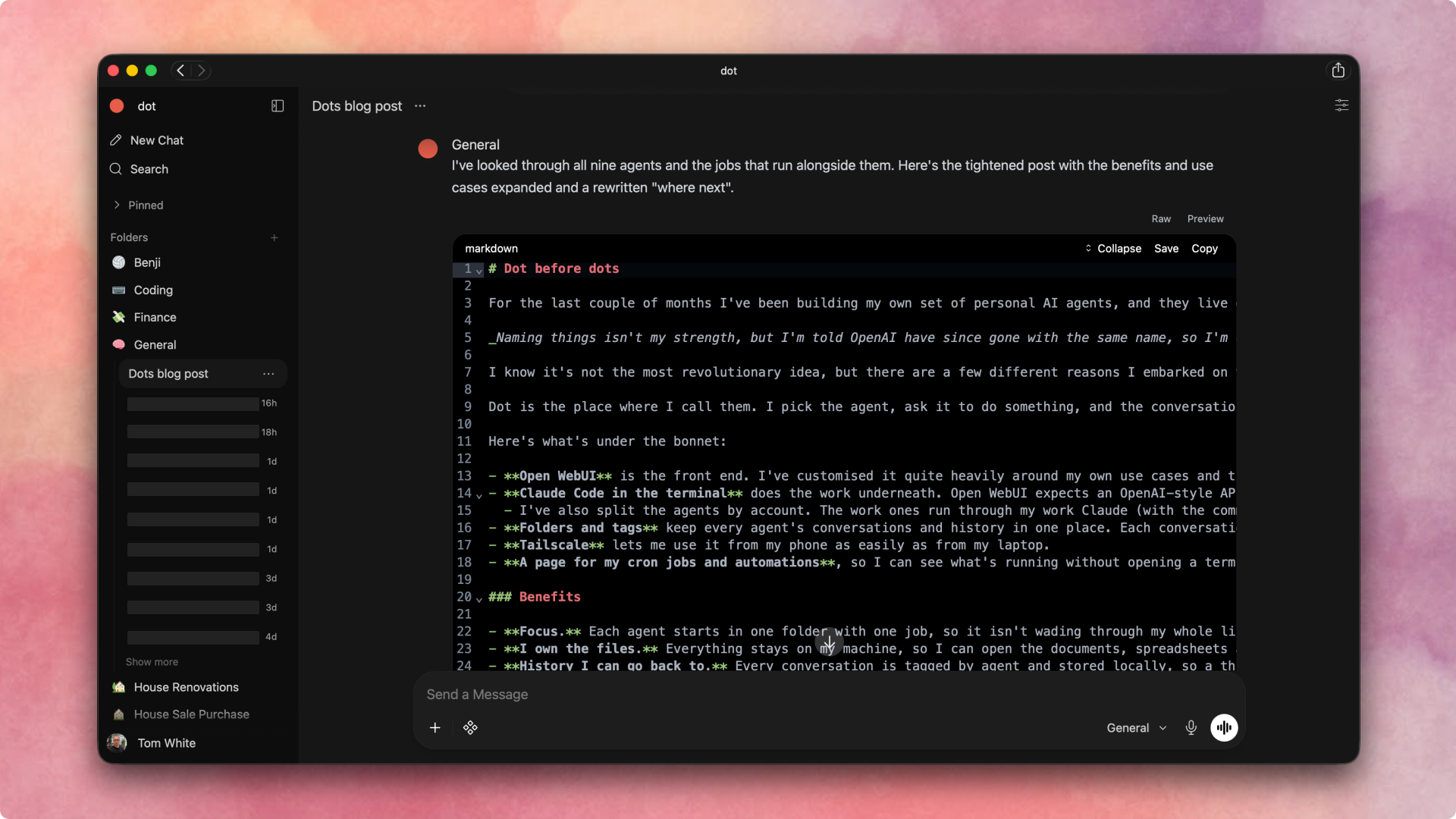
Naming things isn’t my strength, but I’m told OpenAI have since gone with the same name, so I’m choosing to take that as a compliment.
It isn’t a new idea. I was inspired by the personal AI agent trend: first OpenClaw, then GrokBot, which put a much more usable interface on top, and now OpenAI Dots. When I initially experimented with Hermes it felt over complicated for my needs. So I built my own, shaped around how I actually work.
I have a number of use cases where I want an agent to have a very specific role and access to specific data, and a lot of that data I already keep organised locally. I didn’t want one agent that helps with everything badly. I wanted one for each job, which only thinks about that job.
Dot is the place where I call them. I pick the agent, ask it to do something, and the conversation is saved against it, on my own machine rather than somewhere in a proprietary harness.
Here’s what’s under the hood (most of which I’ve built or customised):
Open WebUI is the front end. I’ve customised it quite heavily around my own use cases and the models I actually want to use.
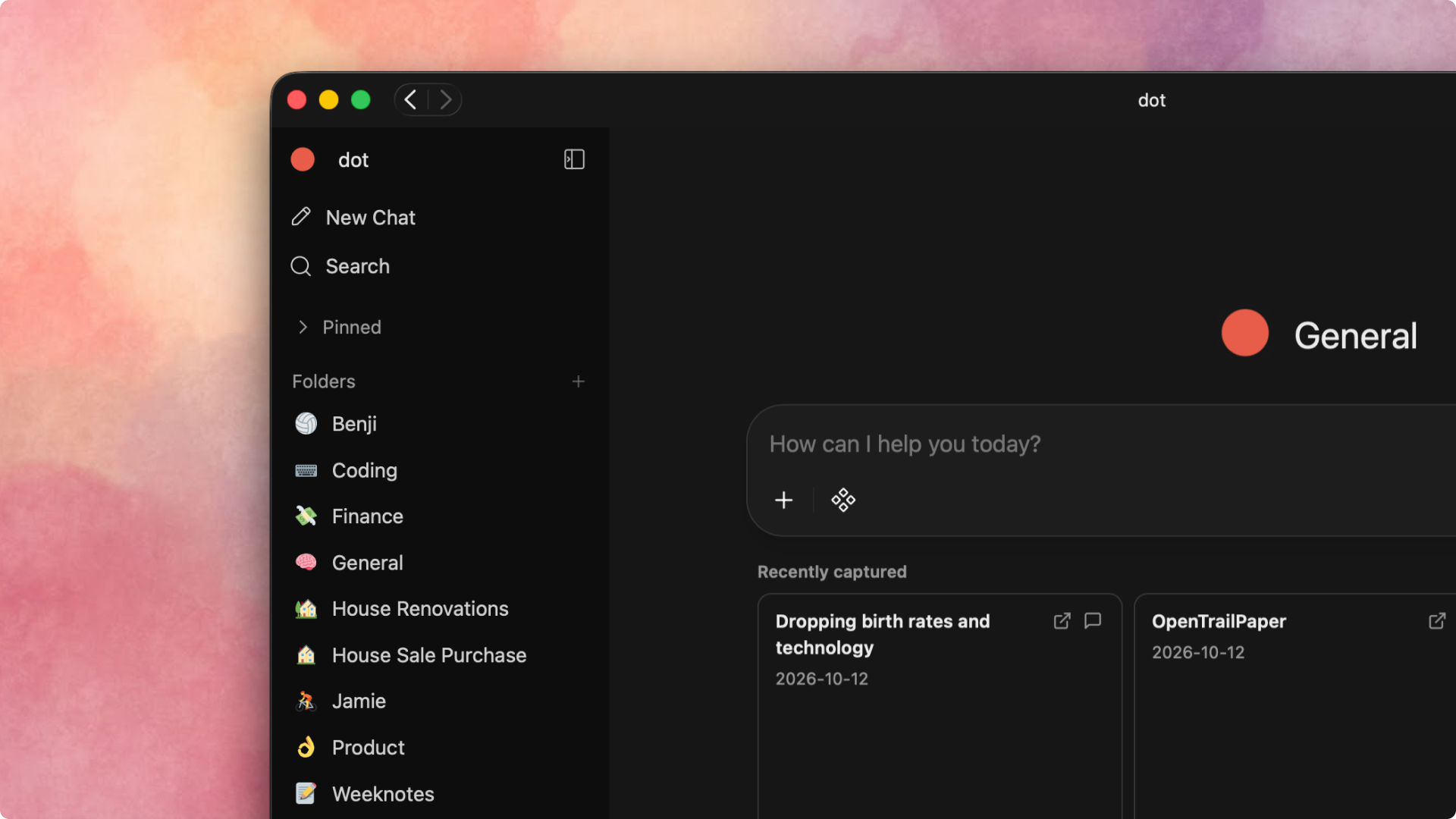
The main hack is the model picker. Open WebUI expects a list of models, so my adapter presents each agent as one. Picking “finance” picks a folder, not an LLM. The agent starts there, so it picks up that folder’s own CLAUDE.md and files, and one config file sets each agent’s folder, Claude login and model.
Claude Code does the work underneath. Open WebUI expects an OpenAI-style API, so I wrote a small adapter that turns each message into a headless Claude Code CLI call, run from the agent’s own folder. That means it runs on my Claude subscription rather than being billed per call through the API.
I’ve also split the agents by account. The work ones run through my work Claude (with the command
claude-work), and the personal ones run on my personal subscription.
Folders and tags keep every agent’s conversations and history in one place. Each conversation is tagged by agent, so I can go back to a thread long after the fact.
Tailscale lets me use it from my phone as easily as from my laptop.
Dot runs in the browser, and I’ve used the Safari “Add to dock/home screen” feature on Mac and iPhone to create more of a native app experience for none of the extra work.
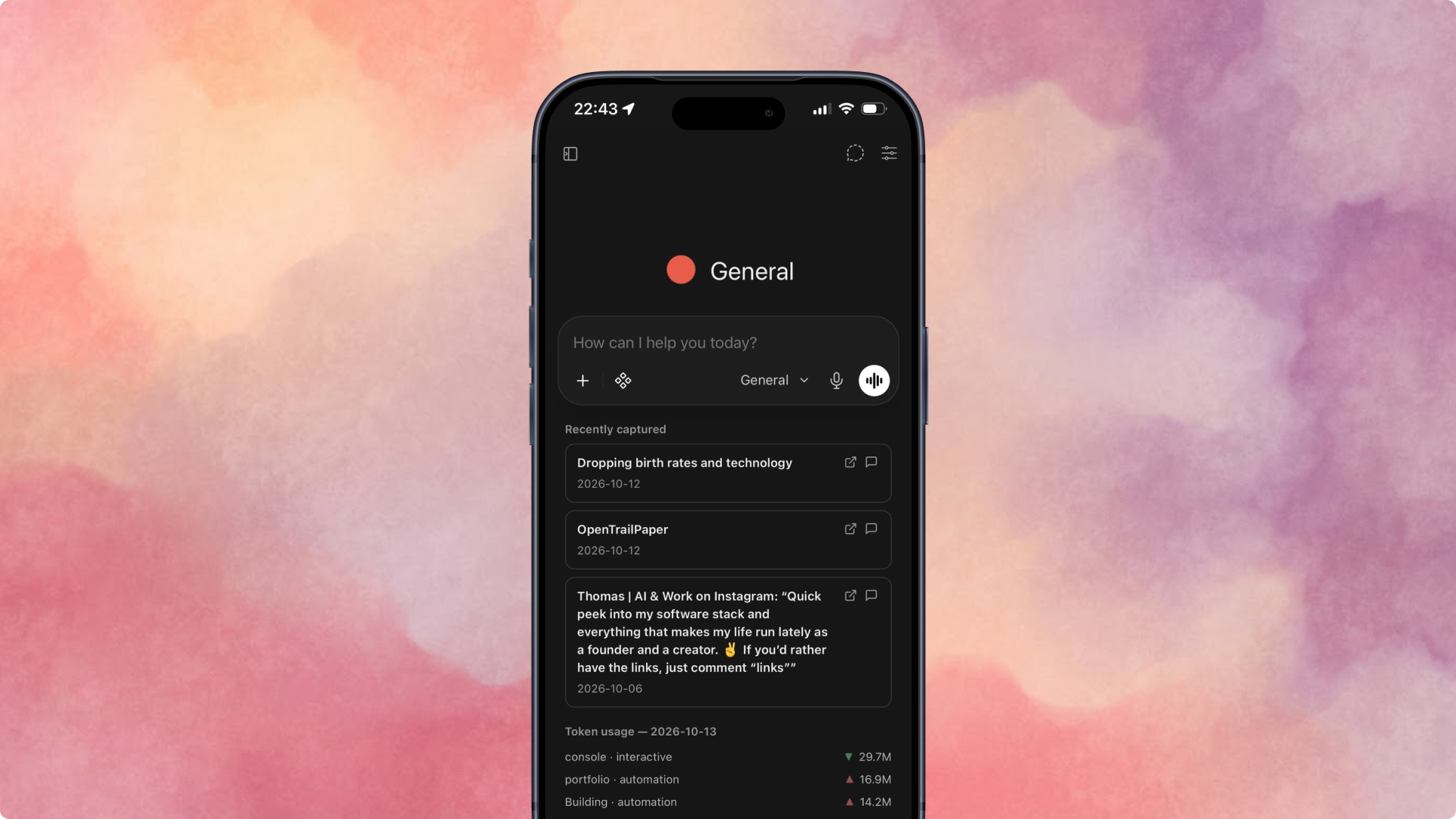
A page for my cron jobs and automations, so I can see what’s running without opening a terminal.
A token usage dashboard, a small view of token usage across my agents and cron jobs, so I can see at a glance where optimisation is likely to be made.
Karakeep is where I save things I want to come back to: bookmarks, YouTube videos and Instagram reels, from my browser or my phone’s share sheet. It’s self-hosted on my machine, and Dot’s homepage shows tiles of the most recent things I’ve saved with the option to ask questions about them from the app. The general agent can also search them.
Benefits
Focus. Each agent starts in one folder with one job, so it isn’t wading through my whole life to answer a question about something specific.
I own the files. Everything stays on my machine, so I can open the documents, spreadsheets and notes the agents create, and read the agents’ own instructions.
History I can go back to. Every conversation is tagged by agent and stored locally, so a thread from months ago is one search away.
Other agents can use it. Because every transcript is stored locally, I can point another agent at them. I can have one read through everything I’ve been working on, work out what I’m interested in and what I’m struggling with, and propose ideas and solutions.
Cost. It runs on my existing subscriptions, not a separate API bill.
It’s with me everywhere. I can reach it from my phone, so long as my computer is awake (which it always is).
Use cases
Some agents are transient and exist for one project. Others are long-lasting.
The front door
General: where anything without an obvious home lands which it can then route to a specialist agent if needed.
Picks a model per chat, so quick questions don’t use the heaviest one.
Runs a weekly life admin job on Sunday evenings. It keeps a calendar of renewals, MOT, insurance and ID expiries, prepares each item three weeks ahead and nudges me in Things, where I track my to-dos.
Searches my saved bookmarks and notes (indexed using GBrain), and of course has access to my email, calendar and other connectors via Claude.
Transient
House sale and purchase: I’m currently in the process of moving, so this keeps the timeline, documents, solicitor correspondence and decisions in one place.
Tracks where each side of the chain has got to.
Knows who everyone is and what we’re waiting on.
House renovations: given it’s going to be a fairly hefty piece of work, this tracks estimates, costs, contractors and decisions.
Holds the renovation plan and what has to happen before what.
Long-lasting
Finance: keeps on top of my finances (but deliberately doesn’t tell me what to buy).
Writes a quarterly report with a newsletter-style digest of commentary from finance influencers I trust.
Runs an annual review which ends with three questions for the year ahead.
Works alongside a monthly job that pulls my Monzo balances and transactions, with my approval.
Coding: works across my projects.
Scaffolds new projects with one command, each in a private repo.
Commits and pushes at the end of every session after asking for my permission. Honestly I use this for light touch updates. For anything more involved I’ll use Claude Code, Conductor or Cursor.
Picks up from a handoff note written by the design agent.
Product: this one’s still in development, but theoretically it runs a project through five stages (brief, discovery, critique, release and measurement)
Works out which stage a project is at from the files in its folder.
Checks new design work against the brief and the research.
Weeknotes: prompts me every Friday for progress on projects
Reads last week’s note and asks two or three follow-up questions.
Writes a structured note that will make case studies much easier to put together later.
Two learning coaches, one for each of my kids: track progress and assessments and suggest things to try at home, tailored to their needs and experience.
Where does it go from here?
Local and open models, mainly to bring costs down and keep more of my data private. But this may be some time away.
Agents autonomously self-improving. Taking inspiration from dream cycles to autonomously improve themselves based on our interactions.
Collaborating with others. The house and finance agents are really household agents, the product agent specifically work related, and Tailscale makes sharing them easy.
Honestly the main point of embarking on this has been to build and to learn. It’s been interesting to create and tailor a space of my own rather than renting someone else’s, and right now I don’t see a reason not to continue down this path.